Best VJ Software for Ableton Live on Mac
Ableton Live is one of the most popular tools for electronic music performance, and many artists want visuals that feel just as musical and responsive. If you’re searching for the best VJ software for Ableton Live on Mac, the key is finding tools that sync tightly with tempo, respond to audio, and stay stable in a live setup. This article compares macOS VJ software that works well with Ableton Live, focusing on real-time visuals, MIDI and Ableton Link support, and performance-friendly workflows.
What Makes a VJ App Good for Ableton Live?
Not all VJ software integrates well with Ableton. For Live users, the most important features are:
Ableton Link support for tempo sync
MIDI mapping for clips, effects, and parameters
Audio-reactive visuals driven by live input
Low-latency performance on macOS
Syphon output for routing visuals between apps
A good Ableton-compatible VJ app should feel like part of the instrument, not a separate system to babysit during a set.

Best VJ Software Options for Ableton Live on macOS
Resolume Avenue / Arena
Best for: Deep Ableton + MIDI integration
Resolume is widely used alongside Ableton Live in professional VJ and audiovisual performances. It supports MIDI clock, MIDI mapping, and Ableton Link, making tempo-synced visuals straightforward.
Strengths
Strong MIDI and Ableton Link support
Audio-reactive effects and clip playback
Industry-standard reliability
Limitations
Expensive compared to alternatives
Can feel complex for music-first performers
Layer-based workflow may be overkill for smaller sets
Good choice if: You want maximum control and already use Resolume in larger setups.
VDMX
Best for: Custom Ableton-controlled visual systems
VDMX is popular among Ableton users who want to build bespoke audiovisual rigs. It offers deep MIDI and OSC support and can be tightly controlled from Ableton.
Strengths
Highly customizable MIDI workflows
Excellent OSC and external control support
Flexible routing and modulation
Limitations
Steep learning curve
Requires significant setup before performing
Less immediate out of the box
Good choice if: You enjoy building custom systems and controlling visuals directly from Ableton.
Magic Music Visuals
Best for: Audio-reactive visuals driven by music
Magic Music Visuals integrates well with Ableton Live through audio input and MIDI, making it ideal for performers who want visuals that follow sound rather than clip triggers.
Strengths
Strong audio analysis
Generative, procedural visuals
Lightweight and affordable
Limitations
Limited clip-based performance tools
Less suited for traditional VJ mixing
Visual style is mostly abstract
Good choice if: You want visuals that respond directly to your music without heavy manual control.
Arkestra
Best for: Musical, real-time visuals synced to Ableton Live
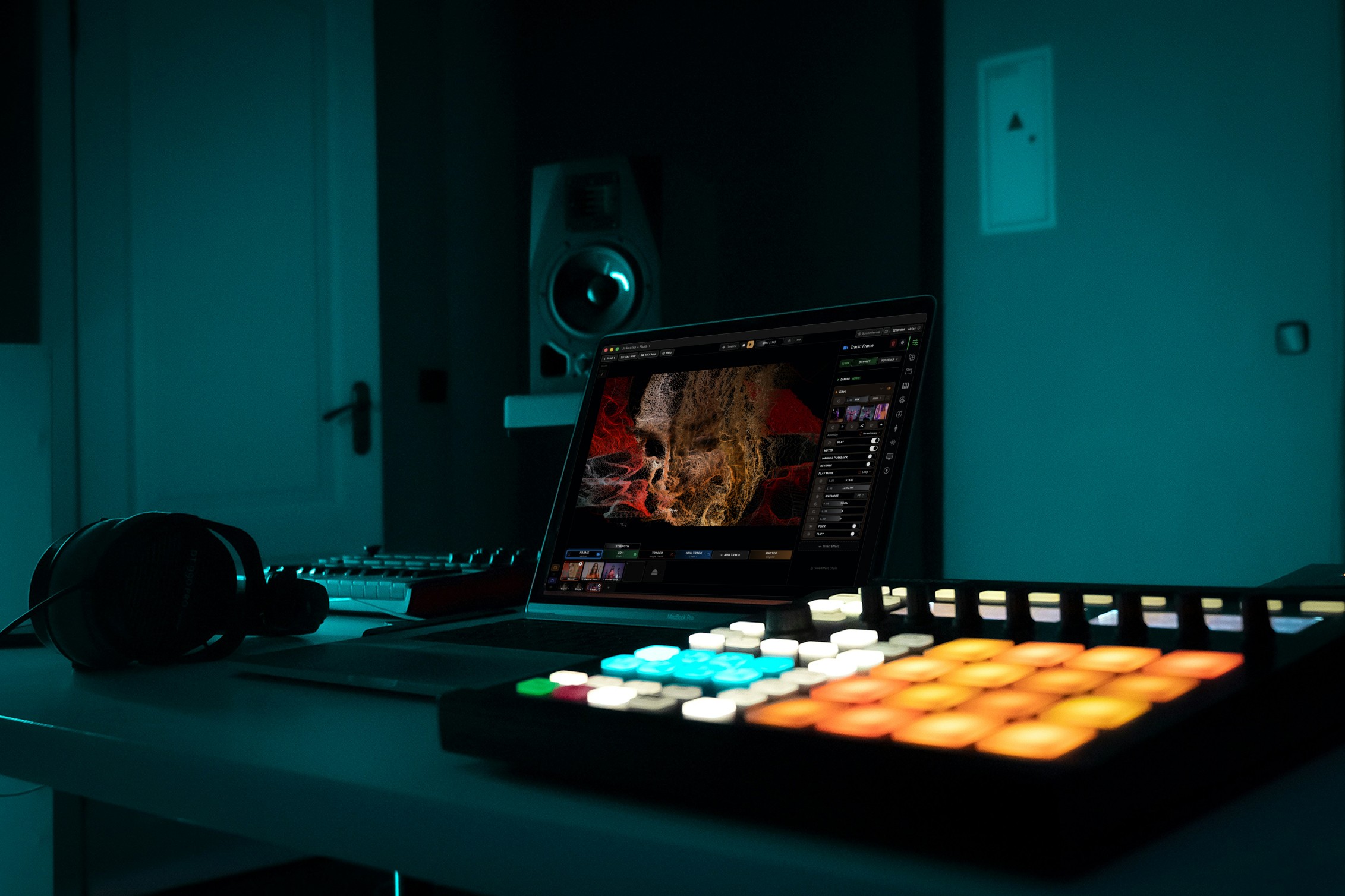
Arkestra is a macOS-focused live visual tool designed for real-time performance, with native support for Ableton Link, MIDI, and audio-reactive visuals.
Instead of relying on dense layer stacks, it uses a more track-oriented approach that feels familiar to Ableton users.
Strengths
Ableton Link support for tempo sync
MIDI mapping for live control
Audio-reactive visuals out of the box
Syphon output for advanced routing
Fast setup and performance-friendly interface
Limitations
Smaller ecosystem than long-established tools
Not focused on DMX or large-scale projection mapping
Good choice if: You want visuals that feel rhythmically connected to Ableton without complex setup.
TouchDesigner (Free / Non-Commercial)
Best for: Advanced audiovisual systems
TouchDesigner is often paired with Ableton Live for complex audiovisual installations and performances. It offers free non-commercial use and deep integration possibilities.
Strengths
Extremely powerful audio and MIDI routing
Unlimited customization
Strong community and learning resources
Limitations
Very steep learning curve
Overkill for simple VJ sets
Requires technical knowledge
Good choice if: You want complete control and are comfortable with node-based programming.
Feature Comparison: Ableton-Compatible VJ Software (Mac)
|
|
|
|
|
|---|---|---|---|---|
|
|
|
|
|
|
|
|
|
|
|
|
|
|
|
|
|
|
|
|
|
|
|
|
|
Legend:
✅ Strong | 🟢 Very accessible | 🟡 Moderate | 🔸 Partial | ⚪ Not a focus
How to Choose the Right VJ Tool for Ableton Live
Choose Resolume if you need industry-standard features and deep control.
Choose VDMX if you want a custom-built Ableton-controlled visual rig.
Choose Magic Music Visuals if visuals should react directly to audio.
Choose TouchDesigner for advanced, technical audiovisual systems.
Choose Arkestra if you want musical, tempo-synced visuals with minimal friction.
Final Thoughts
When performing with Ableton Live, visuals work best when they’re tightly synchronized and easy to control. The best VJ software for Ableton on Mac is the one that complements your musical workflow instead of distracting from it.
Whether you prefer deep customization or fast, performance-ready visuals, macOS now offers several strong Ableton-compatible VJ tools — making it easier than ever to build cohesive audiovisual live sets.
Read more
Powerful for the Stage, Simple to start today
Arkestra is our flagship application for real-time generative visuals, for VJs, musicians, DJs and creators all around the world