
Music Visualizer Software for Mac: How to Choose the Right One
If you make music and want it to look as good as it sounds, a music visualizer is the fastest way to get there. On macOS the options range from one-click presets that react to your system audio, all the way to full visual instruments you play alongside your set. This guide covers the best music visualizers for Mac in 2026, what each one is actually good at, and how to pick based on whether you want visuals for a live show, a studio session, or a clip to post.
What Counts as a Music Visualizer in 2026
The term covers three quite different kinds of software, and picking the wrong category is the most common reason people end up frustrated.
Preset-based visualizers
These listen to your audio and render a generative scene with little or no setup. You pick a preset, it moves to the beat, and you are done. Great for a quick clip, limited if you want a specific look.
Node and shader based tools
These give you a canvas and building blocks. Enormous creative range, but you are building the visual yourself, and the learning curve is real.
Visual instruments
These sit in between. You get a library of ready-made generators and effects, plus real-time control over them through MIDI, audio and tempo sync, so you can perform the visuals the way you perform a synth. This category has grown the most in the last two years, largely because musicians, not just VJs, started asking for visuals.
Before you compare tools, decide which of the three you actually want. A producer who needs a looping clip for a single release has a very different job than someone playing a live audiovisual set.

The Best Music Visualizers for Mac
Arkestra
Best for: musicians who want to perform and record their own visuals
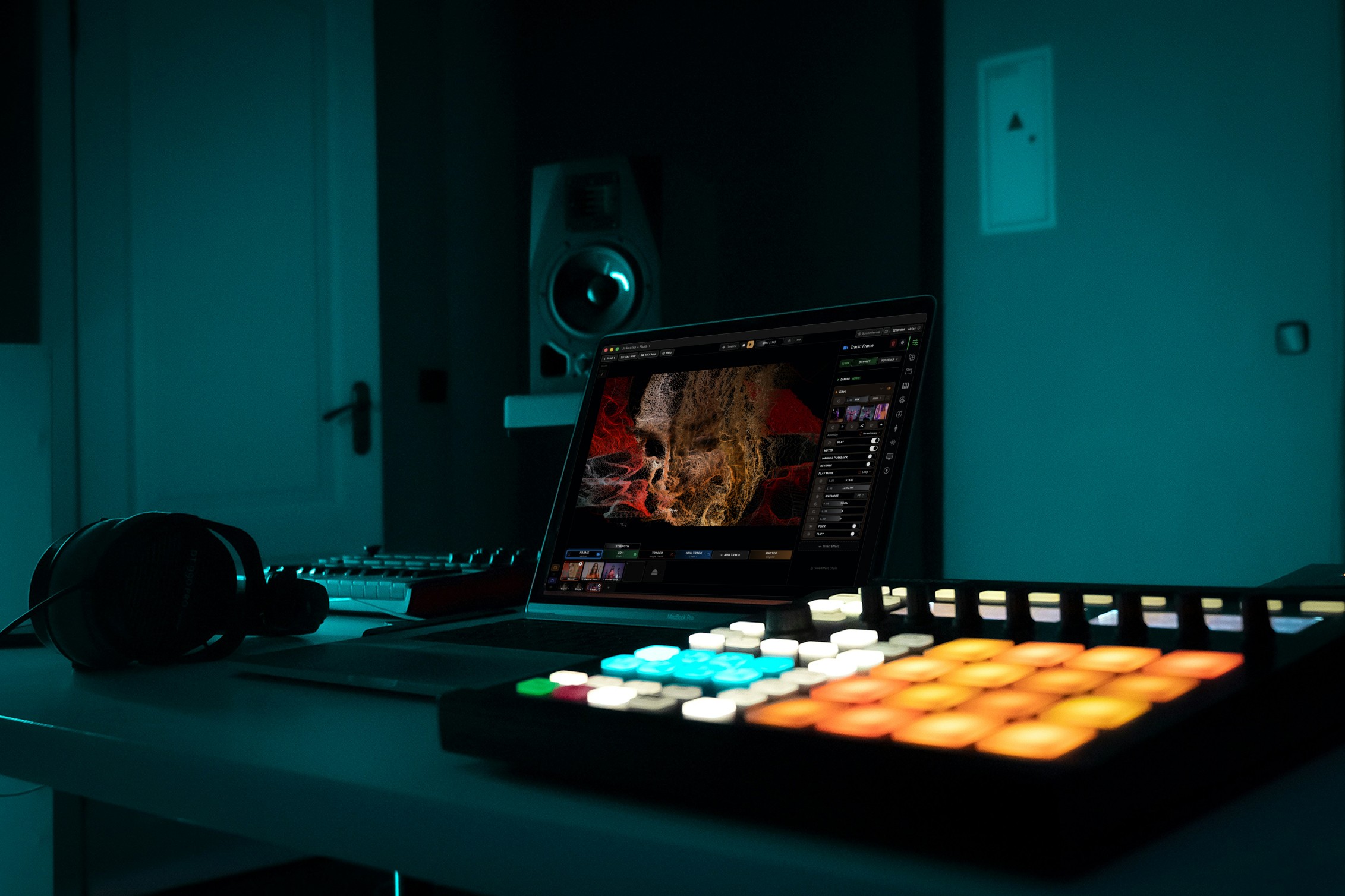
Arkestra is a macOS visual instrument built around real-time, audio-reactive performance. It ships with a library of generators and effects based on ISF shaders, and everything can be driven by audio input, microphone, camera, MIDI or tempo. Ableton Link support means it locks to your DAW without any cabling, and the Echo plugin drops onto individual tracks in your DAW and sends each channel's level across, so separate elements of your mix can drive separate parts of the visual.
Pros
Designed for live performance, not just playback
Deep audio reactivity, including per-track levels from your DAW
Full effect engine available on the free tier
Built-in recording, so you can capture clips without a screen recorder
MIDI mapping is free, so hardware control works from day one
Cons
macOS only
More depth than you need if you only want a one-click preset
Synesthesia
Best for: shader-driven audio-reactive scenes
Synesthesia focuses squarely on audio-reactive visuals built from GLSL scenes, with a strong catalogue of community-made content. It reacts well to live audio and is popular with musicians who want something more designed than a generic preset.
Pros
Strong audio analysis
Large scene library
Approachable for non-coders while still allowing custom scenes
Cons
Less focused on clip mixing and multi-layer performance
Magic Music Visuals
Best for: node-based generative visuals
Magic uses a modular, node-based approach where you wire audio analysis into visual modules. Very flexible, and explicitly aimed at the music visualizer market.
Pros
Modular and flexible
Good audio and MIDI reactivity
Established and well documented
Cons
You build most things yourself
Interface feels more technical than musical
TouchDesigner
Best for: custom systems and installations
The most powerful option here by a wide margin, and the steepest. TouchDesigner is a full node-based environment used for everything from music visuals to large installations, with a free non-commercial licence.
Pros
Essentially unlimited
Free for non-commercial use
Huge community
Cons
Long learning curve before your first good-looking result
Overkill for a visualizer on a track
projectM
Best for: free, instant, nostalgic visuals
An open-source reimplementation of the classic MilkDrop visualizer. Point it at your audio and it goes. Zero cost, zero setup, and very little control.
Pros
Completely free and open source
Works immediately
Cons
Little creative control
Aesthetic is dated unless that is the point
Resolume Avenue
Best for: clip-based VJ performance
The long-standing industry standard for VJs. Worth knowing about, though it is built around triggering and mixing video clips rather than generating visuals from your music.
Pros
Rock solid for clip playback and live output
Deep output and mapping features
Cons
You need to supply the clips
Audio reactivity is not the core of the design
Expensive for a hobby project

Feature Comparison
Software | Audio-Reactive | Live Performance | Ableton Sync | Beginner-Friendly | Free Option |
|---|---|---|---|---|---|
Arkestra | Strong | Strong | Link and per-track levels | Very accessible | Yes |
Synesthesia | Strong | Moderate | Audio only | Accessible | Trial |
Magic Music Visuals | Strong | Moderate | Audio and MIDI | Moderate | Yes, limited |
TouchDesigner | Depends on your build | Strong | Possible, manual | Difficult | Non-commercial |
projectM | Strong | Limited | Audio only | Very accessible | Yes |
Resolume Avenue | Limited | Strong | Link and MIDI clock | Moderate | Trial |
How to Choose
A short version, based on what you are actually trying to do.
You want a visual for one track, today. Start with a preset-based tool. projectM costs nothing and takes a minute.
You want visuals that feel like part of your music. Look for per-track audio reactivity and tempo sync rather than a big preset count. This is where a visual instrument beats a visualizer.
You are playing live. Prioritise stability, MIDI control and output options such as Syphon and multi-screen. Test with your actual set before the gig, not the night before.
You want total control and have time. TouchDesigner, and give yourself a few months.
Final Thoughts
The gap between music software and visual software keeps closing. A few years ago, getting visuals that genuinely followed your music meant either hiring a VJ or learning a node-based environment from scratch. In 2026 you can plug in your audio, sync to your DAW and have something that moves with the track in an evening.
If you are a musician rather than a dedicated visual artist, the most useful thing to look for is not the size of the preset library. It is how directly the tool lets your music drive the image, and whether you can perform and capture the result without leaving the app.
Read more
Powerful for the Stage, Simple to start today
Arkestra is our flagship application for real-time generative visuals, for VJs, musicians, DJs and creators all around the world